
by Jonathan Halder | Jun 4, 2021 | MS Access, MS Access Forms, MS Access Reports
So I had a form that opened a report using a function in another module using DoCmd.OpenReport. This worked fine and the report popped open and appeared to be the active object on the screen. However, it was not. The behavior this caused was that when I clicked on the...

by Jonathan Halder | Jun 3, 2021 | MS Access, MS Access Features, MS Access Forms
Recently, a customer requested that all changes to their form be logged and added to the email that is sent to the project manager associated with the project assigned to the form. I found some code to walk a form during the BeforeUpdate routine and look for and...

by Jonathan Halder | Nov 30, 2020 | MS Access, MS Access Features, MS Access Forms
As you mention, you could determine the available screen space. You are going to have a somewhat complex job because you will have to set the top and left of every visible control on the screen. That is one way of doing it that will work. The other way...
by Jonathan Halder | Oct 12, 2020 | MS Access Forms
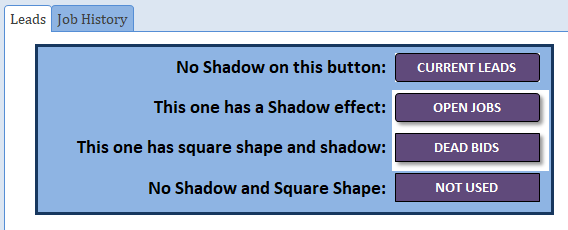
Jon: Fix is either in the on open or on click events Jon: The issue occurs for me only when hovering over the button. See attached database for the simple workaround solution for this issue. I do think this is a bug in Access but at least there is a workaround for it....

by Jonathan Halder | Sep 14, 2020 | MS Access
If you have worked with Access Front Ends and Back Ends on a client network with many users, you may have experienced some of the difficulties of making updates to the Front End to apply new updates to forms and reports for the end users. Having a front end in general...
